> For the complete documentation index, see [llms.txt](https://docs.axolot.org/llms.txt). Markdown versions of documentation pages are available by appending `.md` to page URLs; this page is available as [Markdown](https://docs.axolot.org/guides-and-tutorials/overview/adding-a-card-to-google-pay.md).

# Adding a card to Google Pay

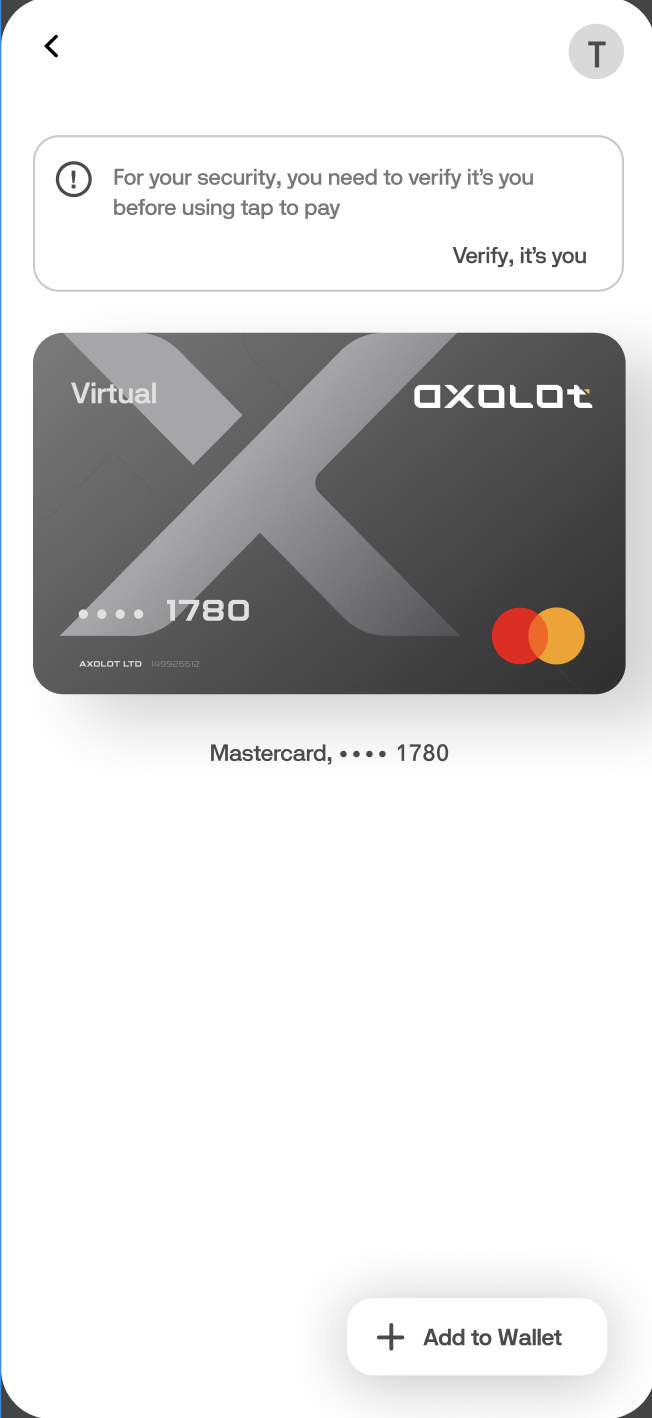
1. We go to the Google Pay application and click on “+ Add to Wallet” to add our card.

<figure><img src="/files/oJqn4teL4qsVABm1fHSh" alt="" width="326"><figcaption></figcaption></figure>

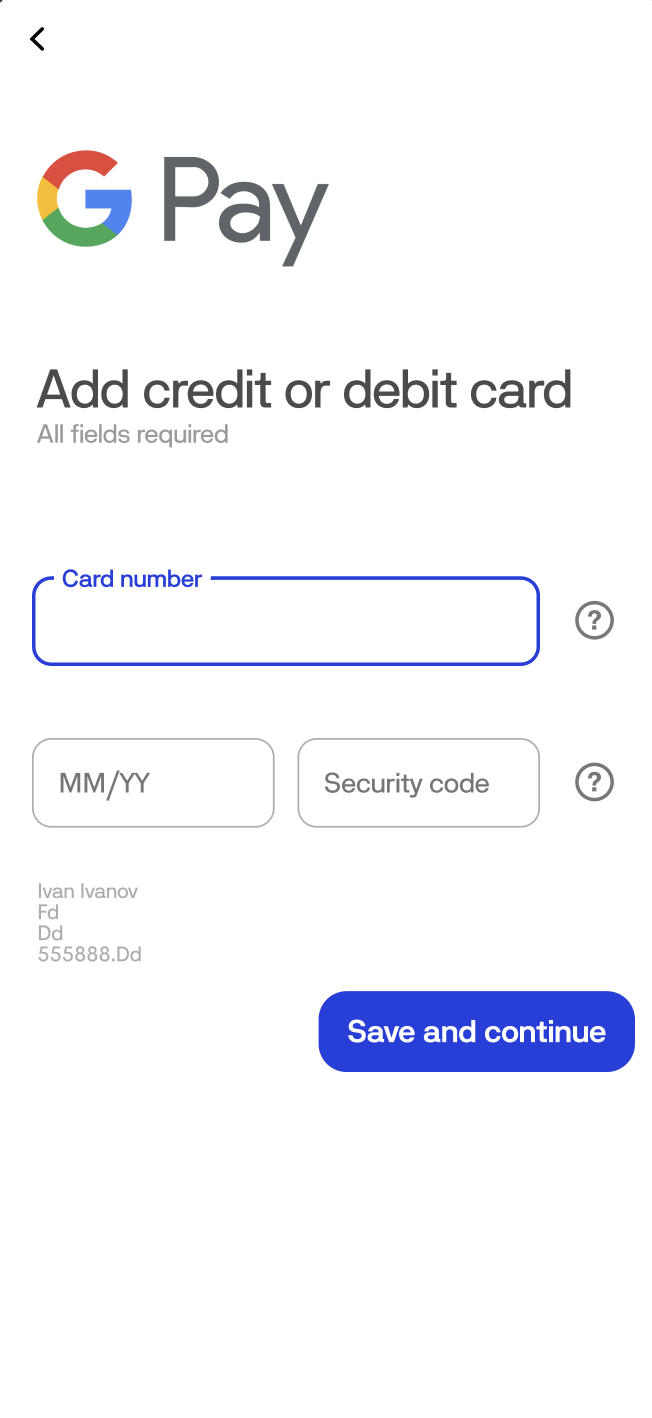
2. Then we enter your card details.

<figure><img src="/files/m9nOkbTmq4HkChbWZ86L" alt="" width="326"><figcaption></figcaption></figure>

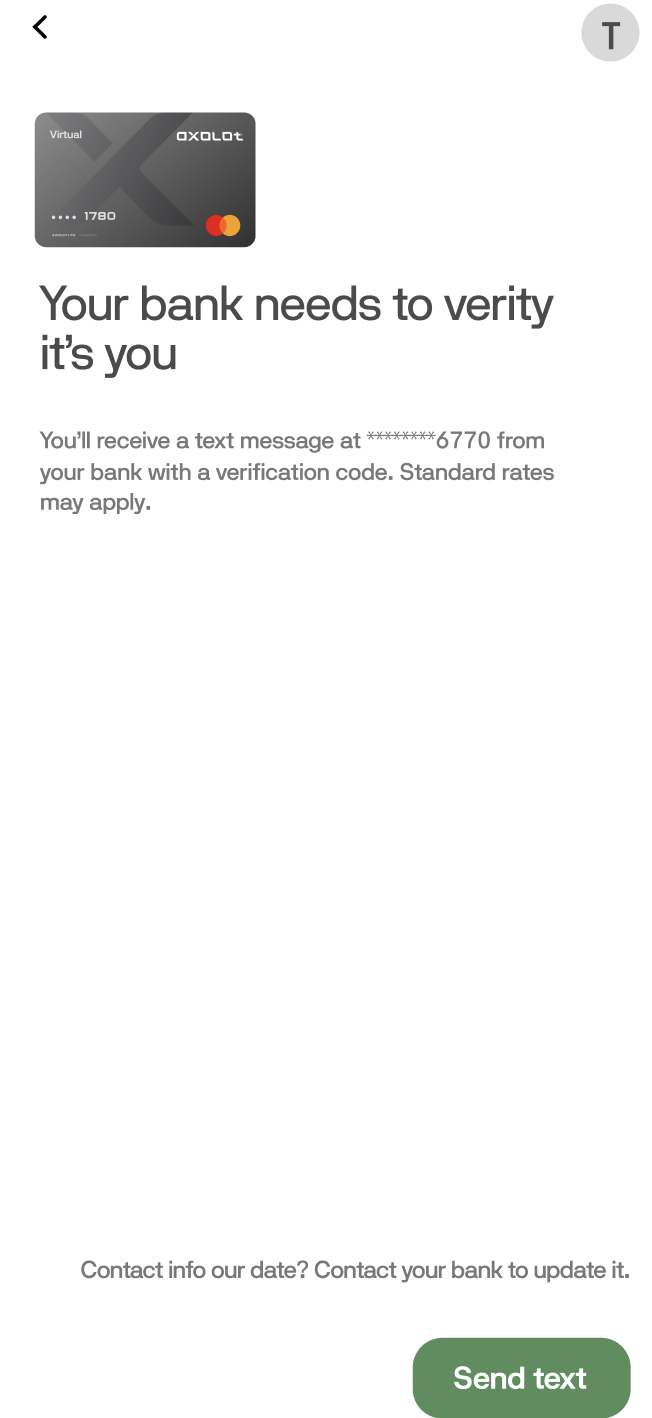
3. Next, agree to the terms of use, and click "Send text" and wait until you receive a notification with a code that you will need to enter in the "Code" field.

<figure><img src="/files/KAdlNClDZ2vulAZN9MAW" alt="" width="326"><figcaption></figcaption></figure>

4. Congratulations, you have linked your card to "Google Pay"