# Adding a card to Google Pay

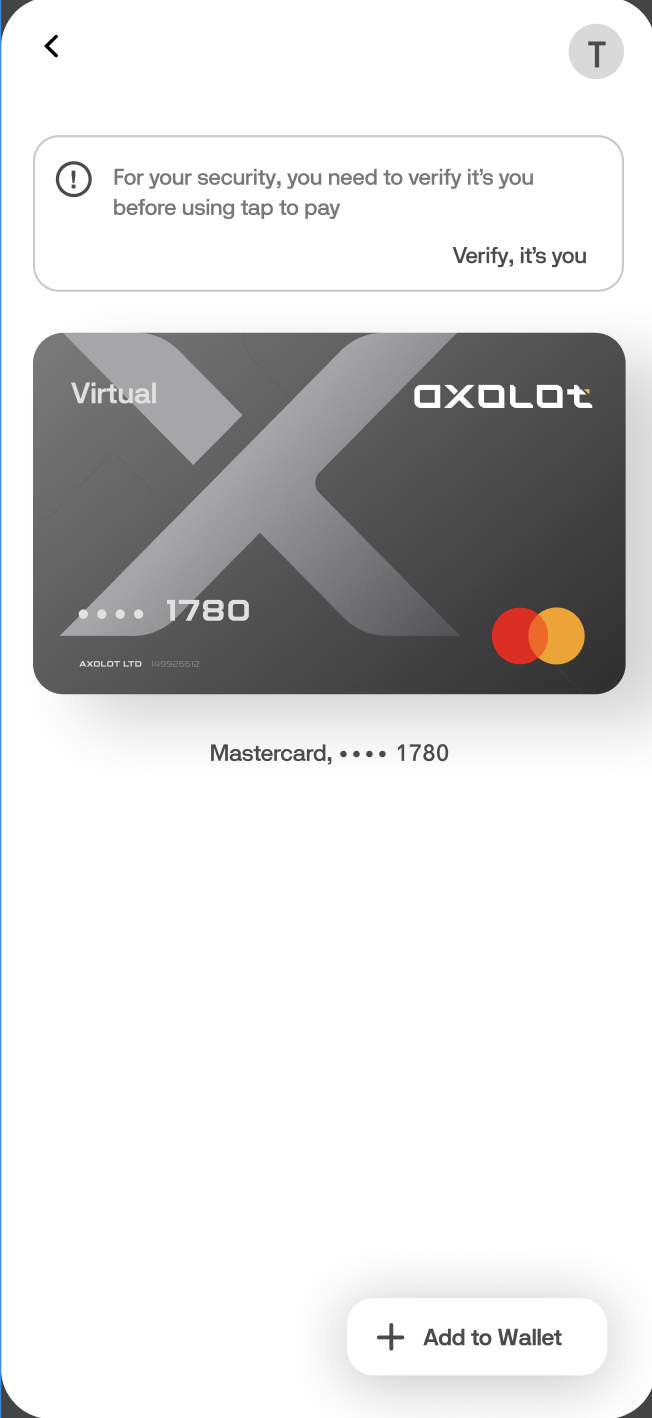
1. We go to the Google Pay application and click on “+ Add to Wallet” to add our card.

<figure><img src="https://3049107472-files.gitbook.io/~/files/v0/b/gitbook-x-prod.appspot.com/o/spaces%2FYWYRjqXSMGRWrEj8PkWY%2Fuploads%2Fs8CEobv1nGqP1pqSK75r%2F%D0%A1%D0%BD%D0%B8%D0%BC%D0%BE%D0%BA%20%D1%8D%D0%BA%D1%80%D0%B0%D0%BD%D0%B0%202025-06-27%20%D0%B2%2015.31.08.png?alt=media&#x26;token=c6280928-afcd-4f3d-a4ca-3e4f1ba45d8a" alt="" width="326"><figcaption></figcaption></figure>

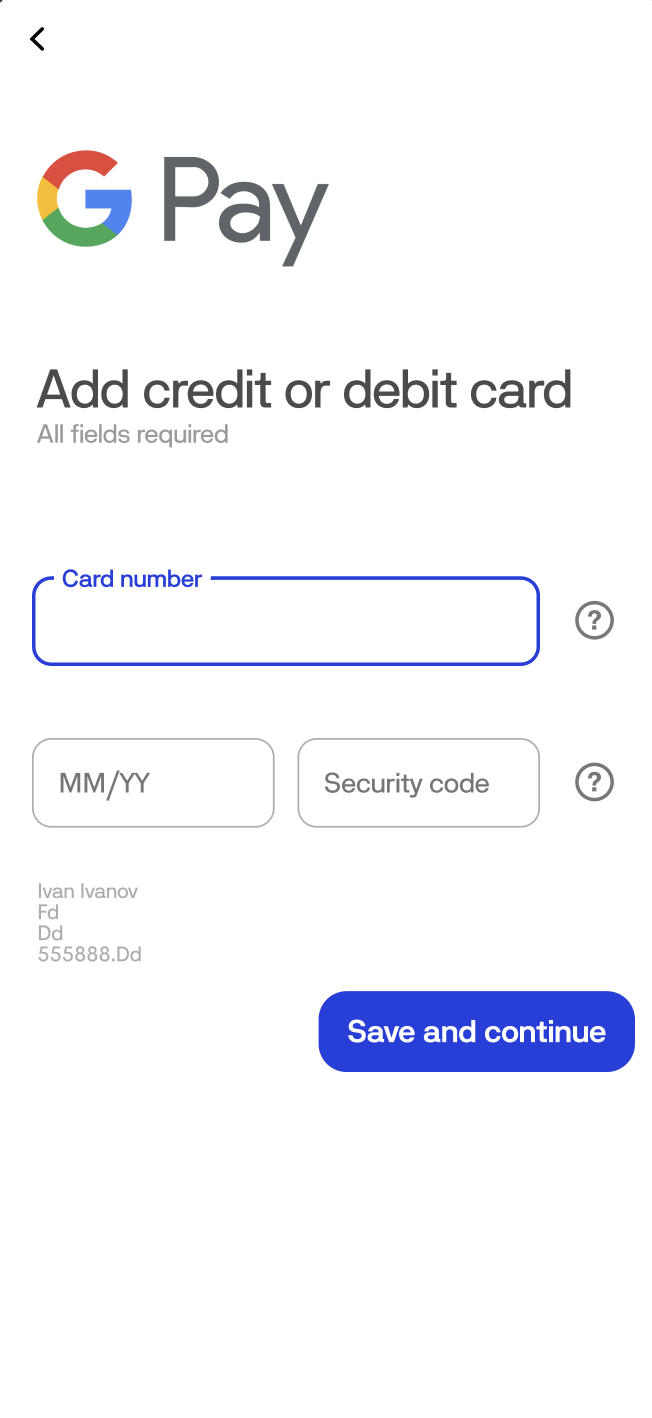
2. Then we enter your card details.

<figure><img src="https://3049107472-files.gitbook.io/~/files/v0/b/gitbook-x-prod.appspot.com/o/spaces%2FYWYRjqXSMGRWrEj8PkWY%2Fuploads%2FkuzYzj5hdFwLTPpi5htl%2F%D0%A1%D0%BD%D0%B8%D0%BC%D0%BE%D0%BA%20%D1%8D%D0%BA%D1%80%D0%B0%D0%BD%D0%B0%202025-06-27%20%D0%B2%2015.32.38.png?alt=media&#x26;token=839f9acc-6aa6-4683-9620-3940dc2a2bc4" alt="" width="326"><figcaption></figcaption></figure>

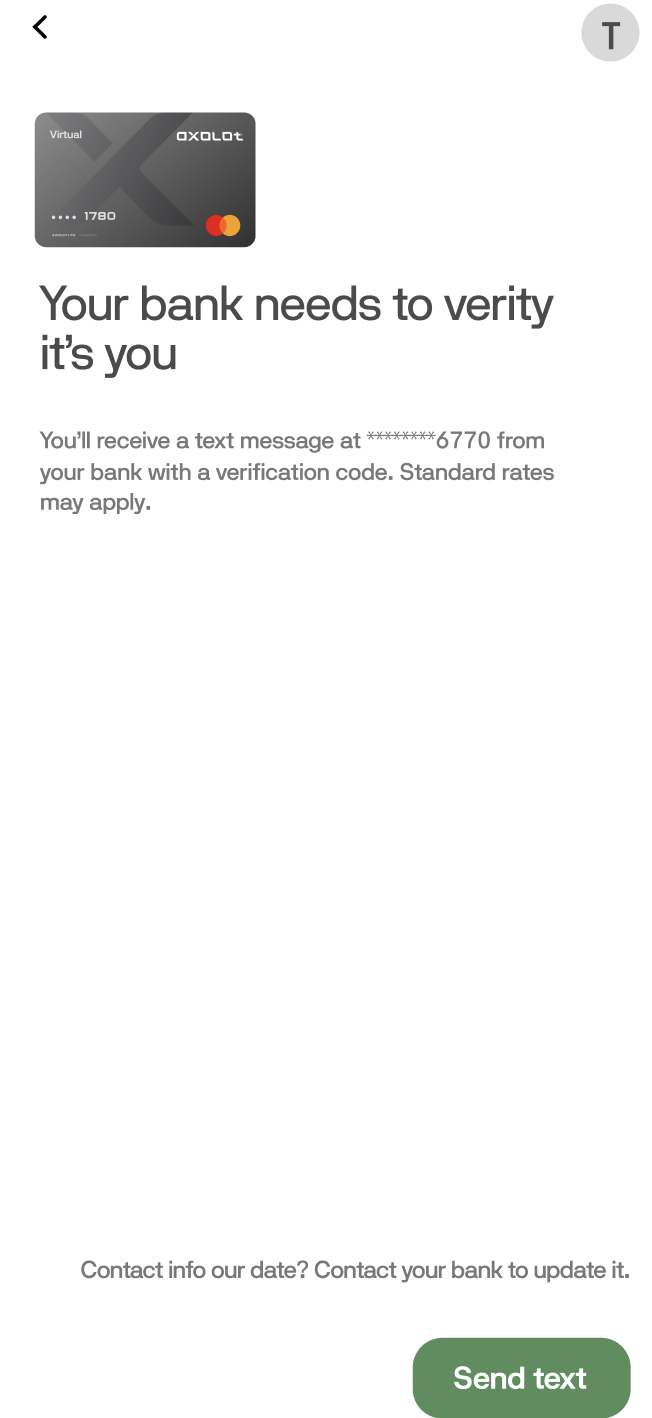
3. Next, agree to the terms of use, and click "Send text" and wait until you receive a notification with a code that you will need to enter in the "Code" field.

<figure><img src="https://3049107472-files.gitbook.io/~/files/v0/b/gitbook-x-prod.appspot.com/o/spaces%2FYWYRjqXSMGRWrEj8PkWY%2Fuploads%2FVgrcVmVq3wV6gm9Bhen6%2F%D0%A1%D0%BD%D0%B8%D0%BC%D0%BE%D0%BA%20%D1%8D%D0%BA%D1%80%D0%B0%D0%BD%D0%B0%202025-06-27%20%D0%B2%2015.34.51.png?alt=media&#x26;token=535950cd-4243-4841-8ad8-5a775a9e60a2" alt="" width="326"><figcaption></figcaption></figure>

4. Congratulations, you have linked your card to "Google Pay"