> For the complete documentation index, see [llms.txt](https://docs.axolot.org/llms.txt). Markdown versions of documentation pages are available by appending `.md` to page URLs; this page is available as [Markdown](https://docs.axolot.org/guides-and-tutorials/overview/adding-a-card-to-apple-wallet.md).
# Adding a card to Apple Wallet
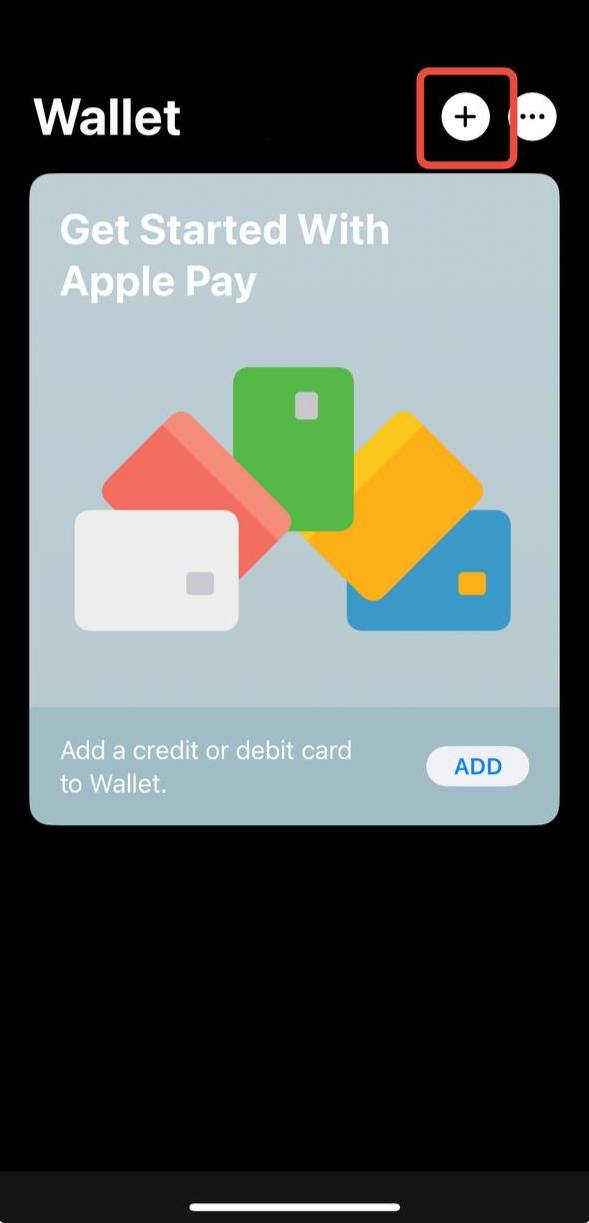
1. We go to the "Wallet" app, and click on the "+" to add our card
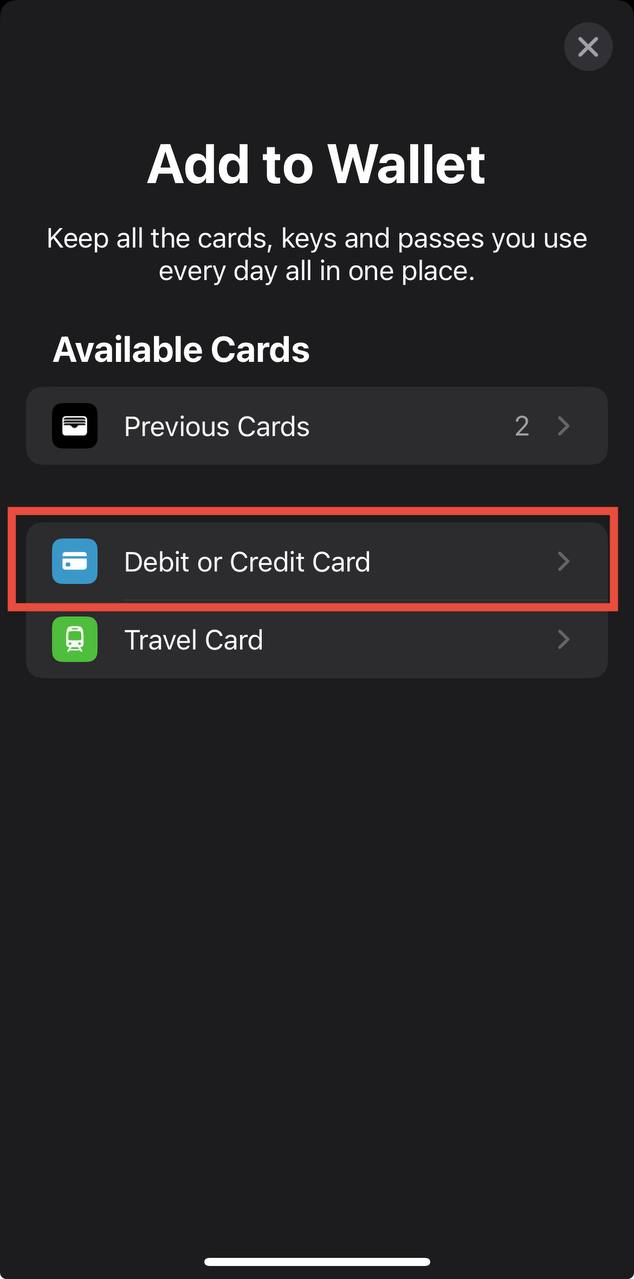
2. Then we select "Debit or Credit Card".
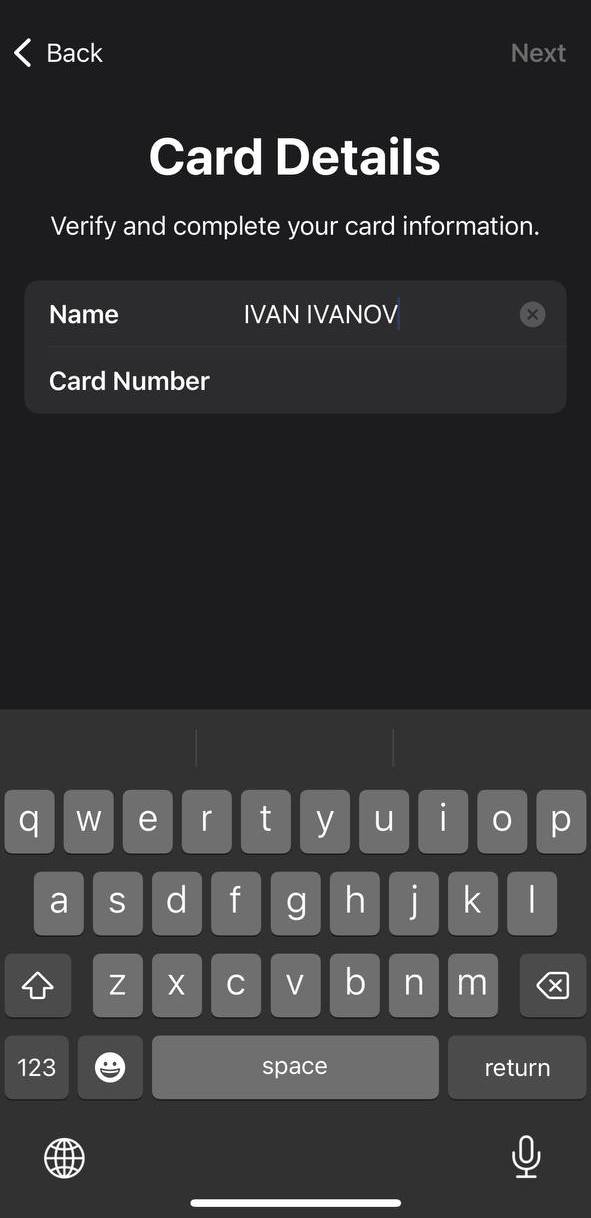
3. Then we got to the page where in "Name" fill in your initials, and in "Card Number" your card number
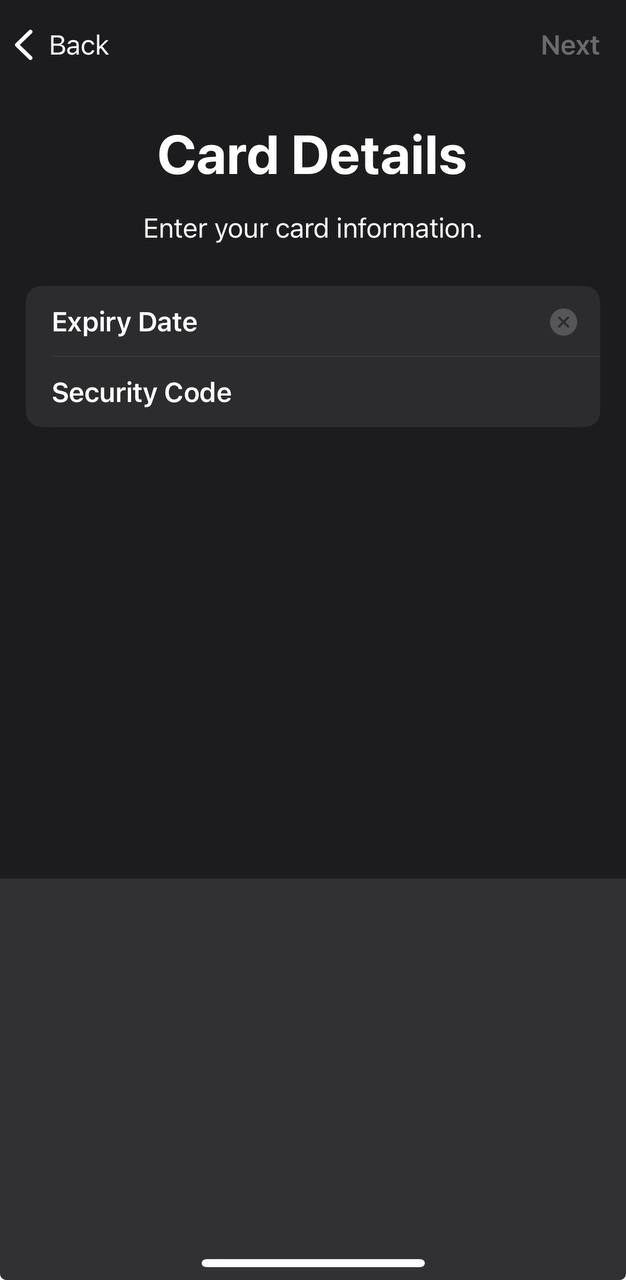
4. On the next page we also fill in our data.
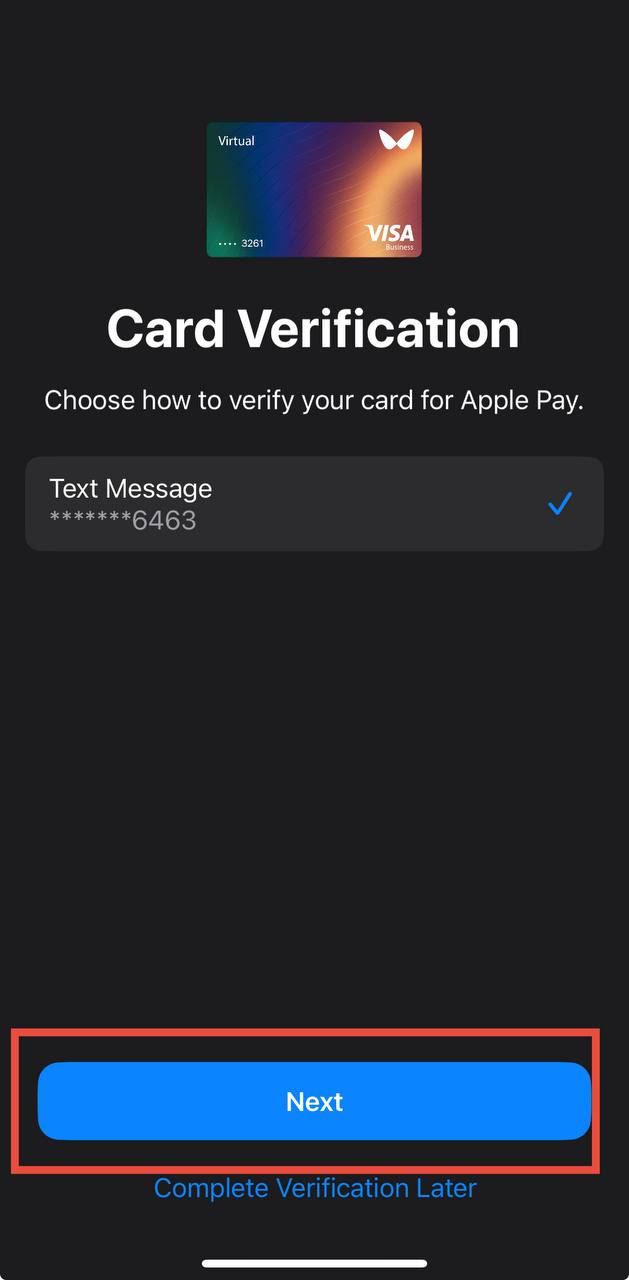
5. Then we click Next so that we get a push notification in the app
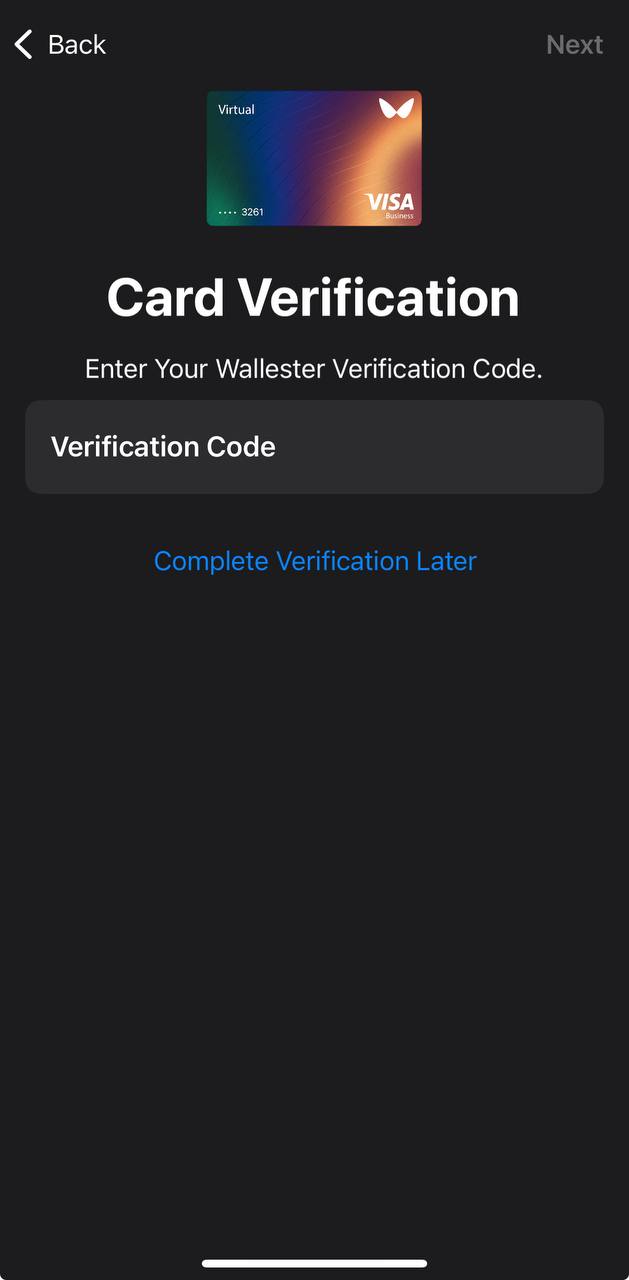
6. You should now receive a push notification in the app. You can access it immediately after it appears, copy the code from your notification history by tapping it, and then paste it into the "Verification Code" field.
Congratulations you have connected the card to your "Wallet" app